Project 06Wynyard Tiny TotsLive project
Wynyard Tiny Tots
A childcare website and activity publishing system Jemma can keep up to date herself.
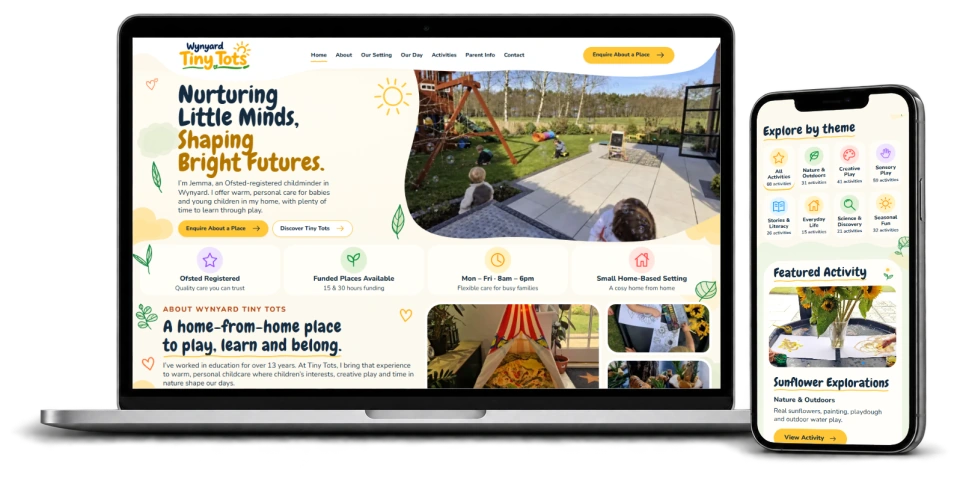
I worked with Jemma to give Wynyard Tiny Tots a warm, useful website and bespoke software for adding and editing daily activities. Parents can explore the setting and make an informed enquiry, while Jemma can keep the activity content current herself.
Website / SoftwareWynyard, Stockton-on-Tees
Project at a glance
- Client
- Wynyard Tiny Tots
- Industry
- Home-based childcare
- Location
- Wynyard, Stockton-on-Tees
- Service
- Website, activity software and SEO foundations
- Categories
- Website / Software
- Status
- Live project
- Focus
- Useful parent information and publishing Jemma can manage herself
What changed
First month
In its first month, the website and enquiry form helped bring in three new customers.
Show the care, and make updating the website practical.
Tiny Tots is Jemma's home-based childminding setting in Wynyard. Families need to understand both the person looking after their child and the everyday experience of the setting before they arrange a visit. Jemma also needed a practical way to show what the children had been doing. I built the website and an activity publishing tool around that need, so routine updates would not depend on me adding each activity for her.
- Help families get to know Jemma and the setting
- Let Jemma add and edit her own activities
- Give interested parents a clear enquiry route

A personal setting needed a personal introduction.
I worked with Jemma to bring the atmosphere of Tiny Tots into the website. The introduction, setting pages and real photographs help parents picture the care, while the About page lets them get to know the childminder behind it.
Indoor and outdoor spaces, creative play and everyday routines sit alongside clear information. The warm presentation gives those details a consistent home rather than leaving families to piece everything together from separate updates.

Jemma can publish the everyday moments herself.
I built bespoke software that lets Jemma add and edit daily activities. She can keep showing what the children have been doing without needing me to publish every update for her.
The public activity library gives that work a useful destination: parents can browse by theme and open a story with real photographs. It supports Jemma's website and Facebook content workflow, keeping her activity content useful for sharing as well as for visitors finding the website.
- Add and edit her own activity content
- Keep real experiences visible to parents
- Reduce dependence on a developer for routine publishing

Useful stories for parents, with something real to discover.
Individual activity pages bring a written account, photographs and relevant themes together. A story such as Sunflower Explorations helps parents see the learning and play behind an image, with routes to related experiences.
The activity stories also support the search foundations. Clear page titles, headings and links help parents discover useful examples of learning and play, while new stories keep the website connected to everyday life at the setting.


Clear answers before the first conversation.
Everyday care arrangements and parent questions have their own organised section. Families can explore settling in, meals, rest, funding and what to bring, with links into the setting's own policies when they need more detail.
Expandable topics keep the overview approachable. A parent can choose the question relevant to them, read the answer and return to the other topics without losing the thread.
A useful first enquiry, shaped around childcare.
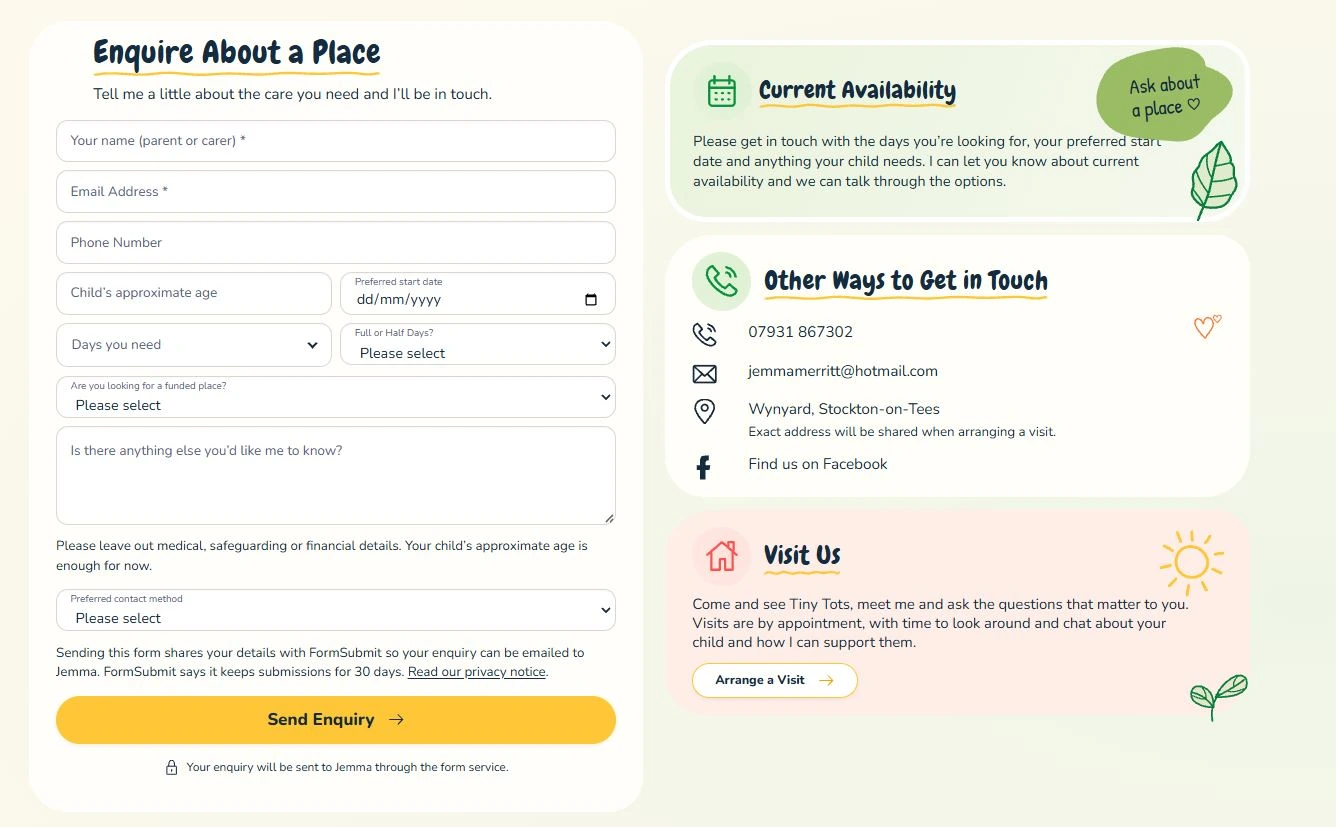
The enquiry journey asks about the care a family is looking for, including preferred start date, days, sessions and contact choices. This gives Jemma useful context for the first conversation rather than a vague message with no practical details.
The form guides parents to leave sensitive medical, safeguarding and financial details out of an initial enquiry. Clear next steps explain how an enquiry can lead to a visit and a conversation about a place.

Helping a family picture the shape of a day.
The Our Day page brings arrivals, play, snacks, outdoor time, lunch, rest and home time into an illustrated sequence. Short explanations and real activity photographs give parents a feel for everyday life at the setting.
The website presents a flexible rhythm that adapts to children's needs and interests. Links into the activity library let families follow an example that interests them rather than stopping at a general description.

A clear home for policies and guidance.
The Policies & Guidance index organises the setting's longer documents into named, dated summaries. Families can move from Parent Information to the relevant detailed page and return to the everyday overview.
Named pages, clear summaries and links from everyday topics make the longer guidance easier for families to find, read and revisit.
A welcoming website with a practical publishing workflow.
The website brings Jemma, the setting and real activities together, while the bespoke tool lets her keep that story current herself.
- Custom website design and development
- Bespoke activity add-and-edit software
- Responsive desktop and mobile layouts
- Activity stories, themes and useful search foundations
- Practical parent information and policy routes
- A structured initial childcare enquiry
Working with Jemma
Jacob created a lovely website for Wynyard Tiny Tots and made it so easy for me to manage. I can add and update our activities myself, which saves me having to ask for changes every time. The website and enquiry form helped us welcome three new customers in the first month. I'm really pleased with the result and the support Jacob has provided.
A website Jemma can keep using.
Routine activity publishing is in Jemma's hands, so the website can continue reflecting life at the setting. If she needs help beyond that workflow, she can speak directly to me about the next change.
Would keeping your own content current make life easier?
Tell me what you update regularly. I can help you decide whether a clearer website, a small publishing tool or both would be useful.